
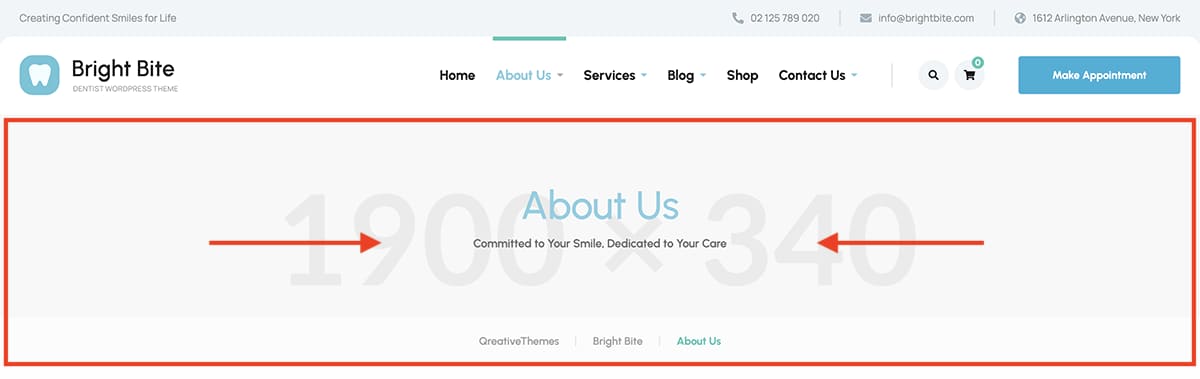
Global settings (all pages)
The global page title area settings are located under Appearance → Customize → Page Title Area
Any changes made here will apply to the page headings across the entire theme.
Individual page settings
To change the page title area for a specific page (e.g., use a different background image), edit the page without Elementor. Then scroll to the bottom and update the options in the Page Settings field.
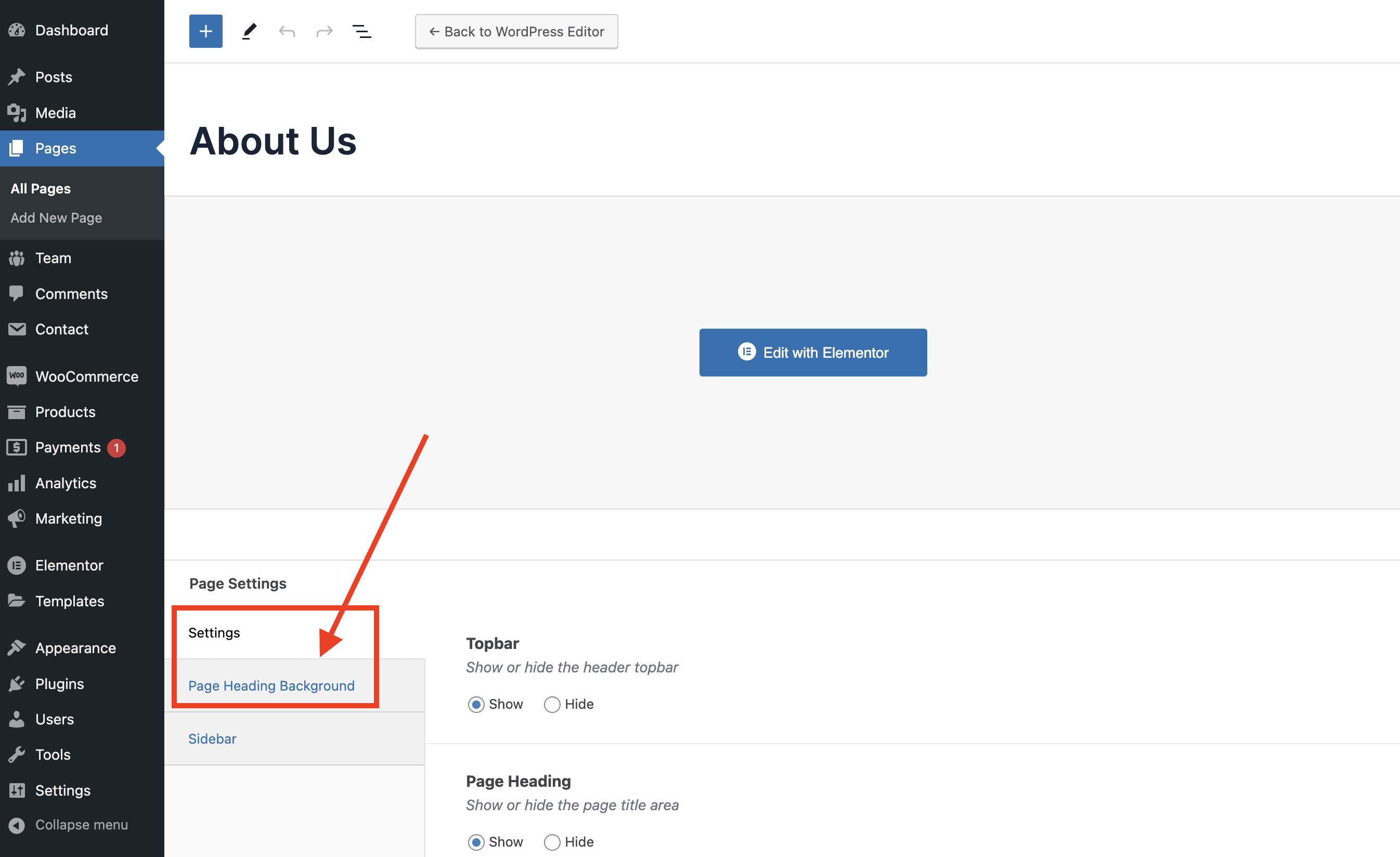
Within the “Settings” tab, you can adjust layout options such as showing or hiding the element, or setting the page title alignment.
To add a custom background image, upload your image under the “Page Heading Background” tab in the settings.