
The header navigation can be edited via Appearance → Menus

Make sure the “Primary Menu” is selected from the dropdown field:
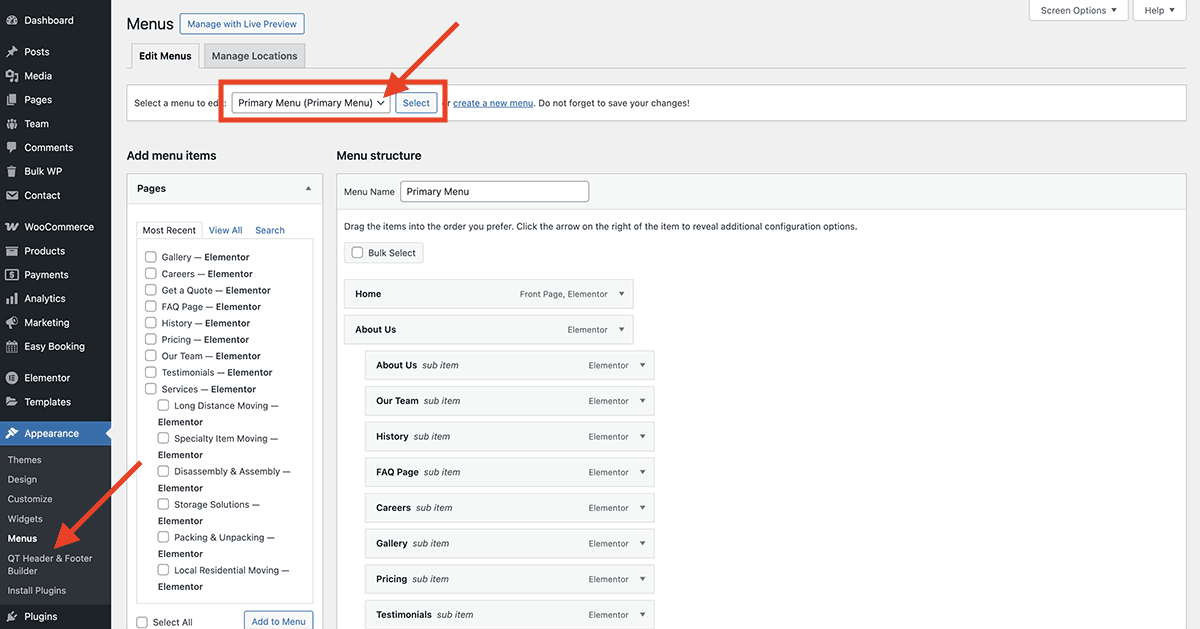
Also, make sure to assign this menu to the “Primary Menu” checkbox at the bottom of the page:

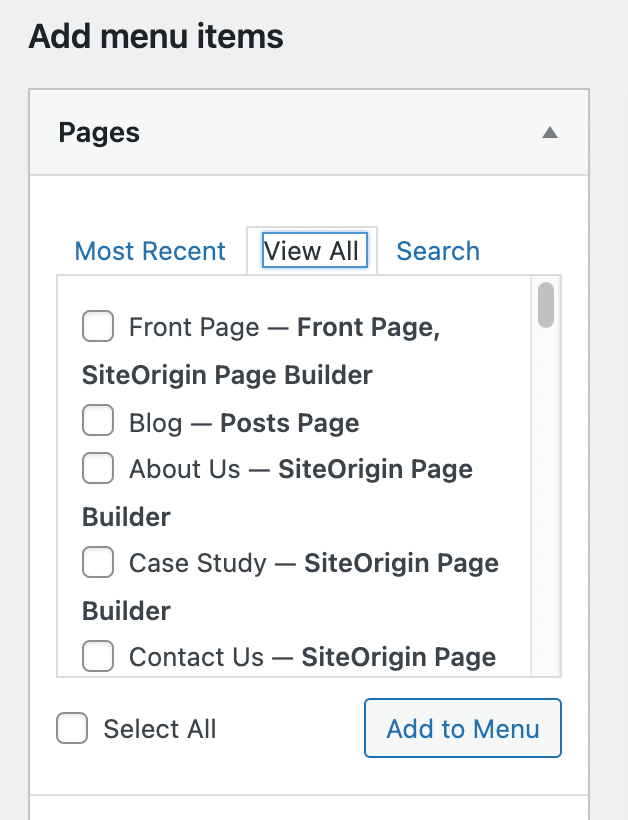
To add a new link to the navigation you can select the “View All” tab on the left side and select the page(s) you want to add:
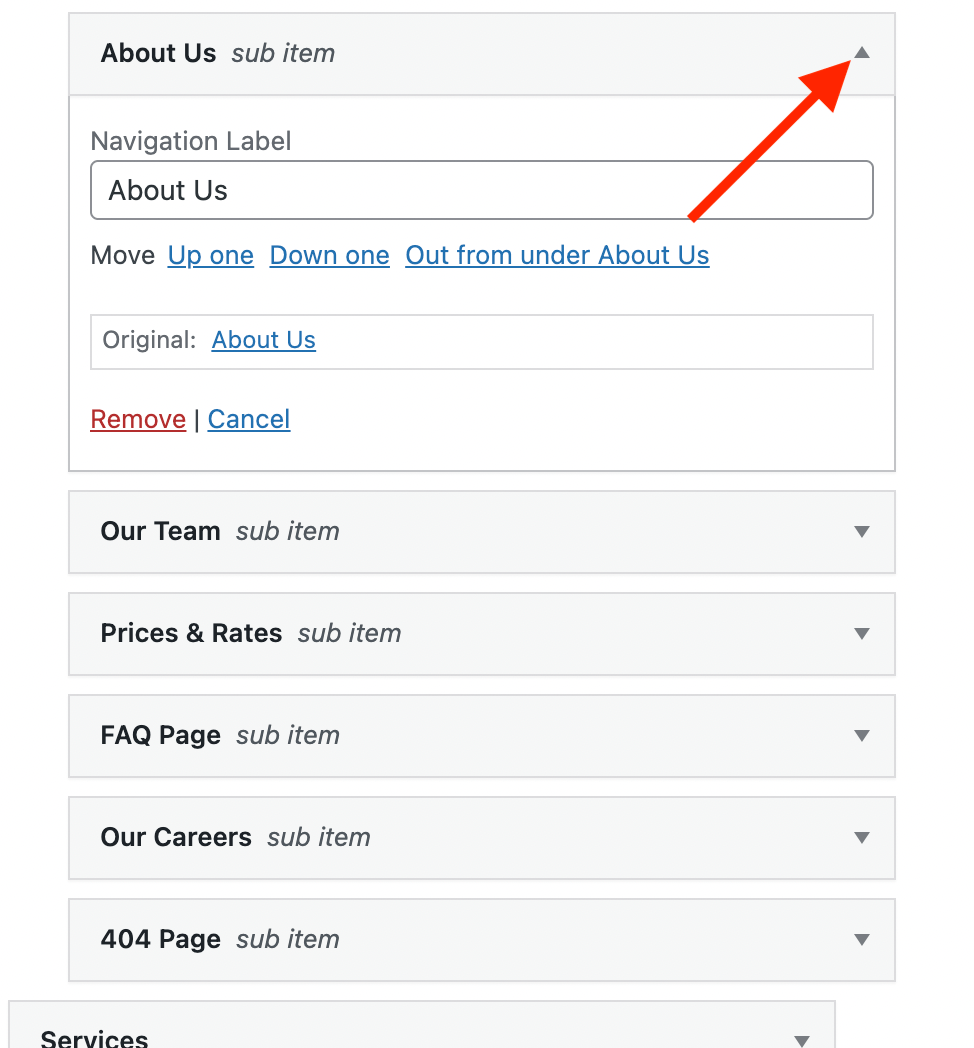
To edit or delete a menu link from the navigation you can click the arrow symbol on the menu link to open the panel:
For more information about editing menus you can read the general WordPress documentation: https://codex.wordpress.org/WordPress_Menu_User_Guide
Changing navigation colors
The navigation link colors can be changed under Appearance → Customize → Navigation
The mobile colors can be changed under Appearance → Customize → Mobile Navigation