

Change topbar content
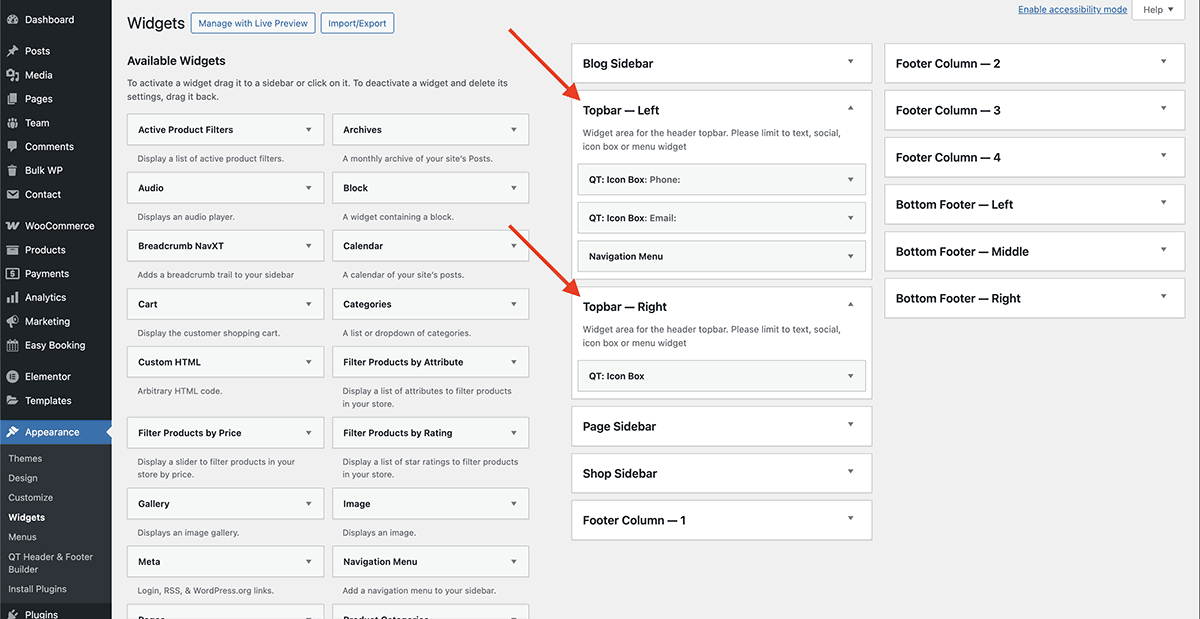
Under Appearance → Widgets, click on the “Topbar Left” and “Topbar Right” panels. Inside these panels, you’ll find widgets that can also be opened to change the default content.
Change topbar colors
Under Appearance → Customize → Topbar, you can change the colors of the topbar, along with some other settings.