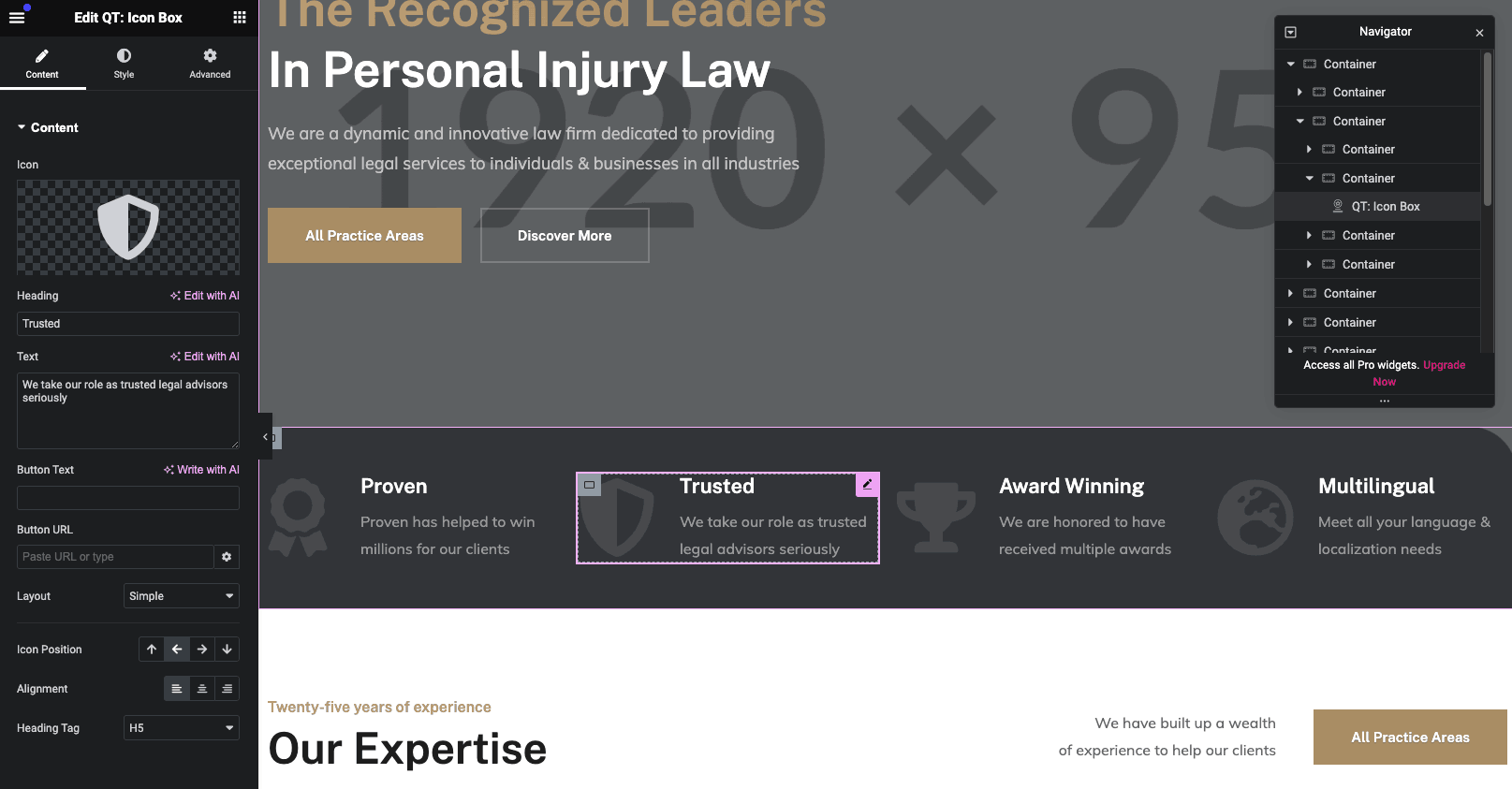
The theme is using Elementor as page builder plugin, this is a required plugin if you want to use the elements from the theme demo.
For more information about the page builder you can follow the official Elementor documentation: https://elementor.com/help/
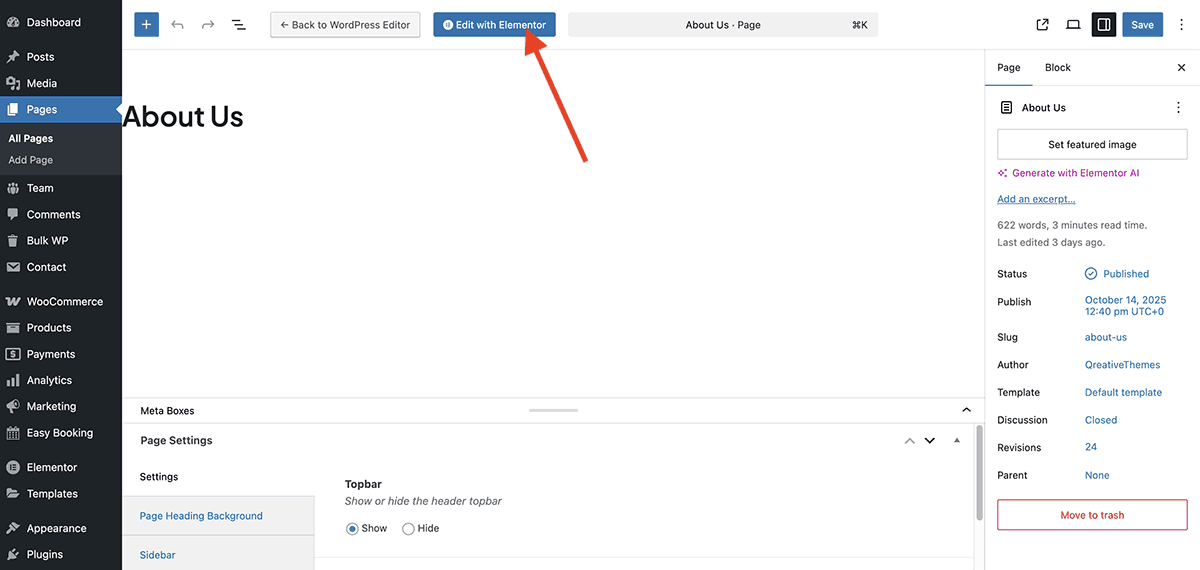
1. Enable Page Builder mode
To use the page builder, edit a page and click the “Edit with Elementor” button.
2. Adding widgets
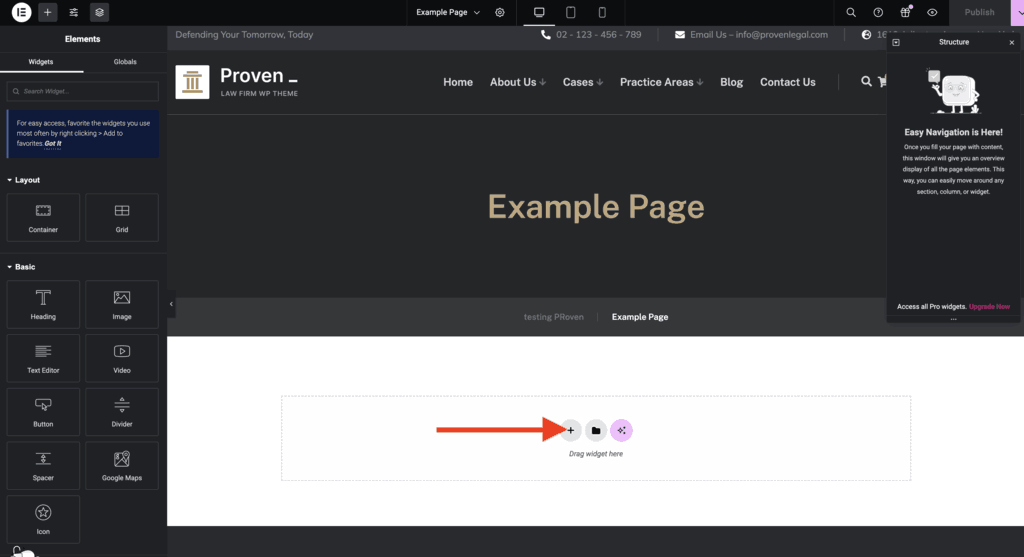
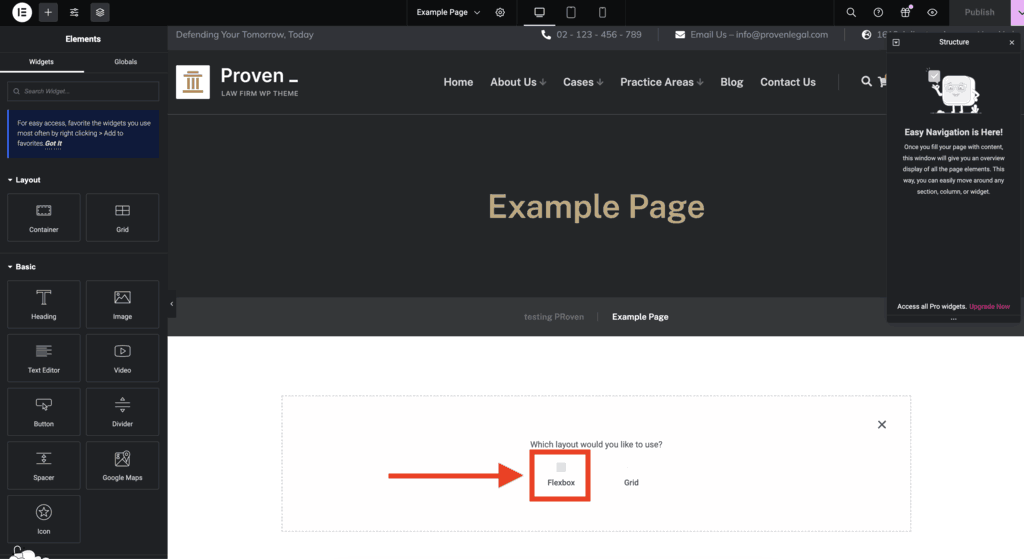
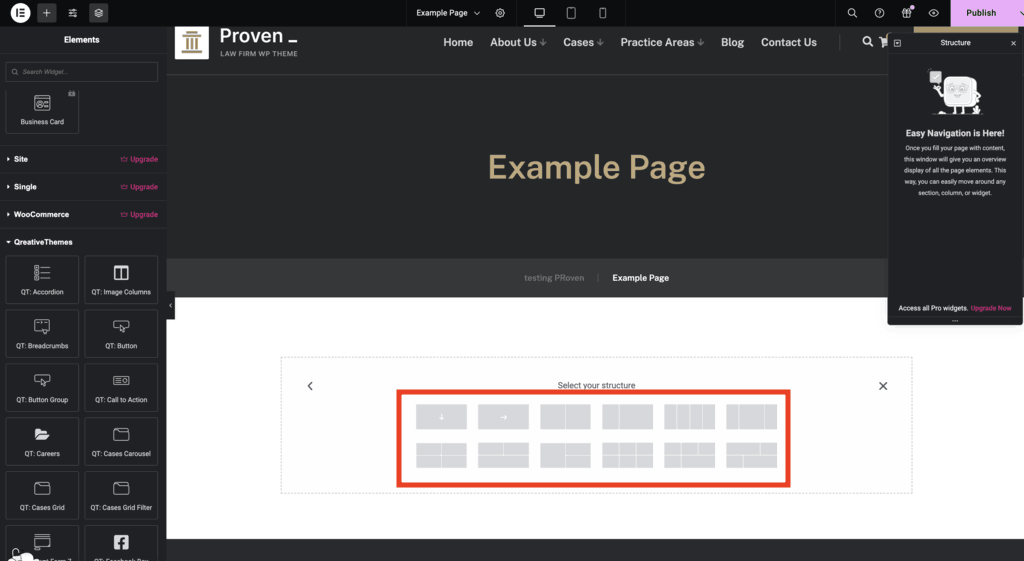
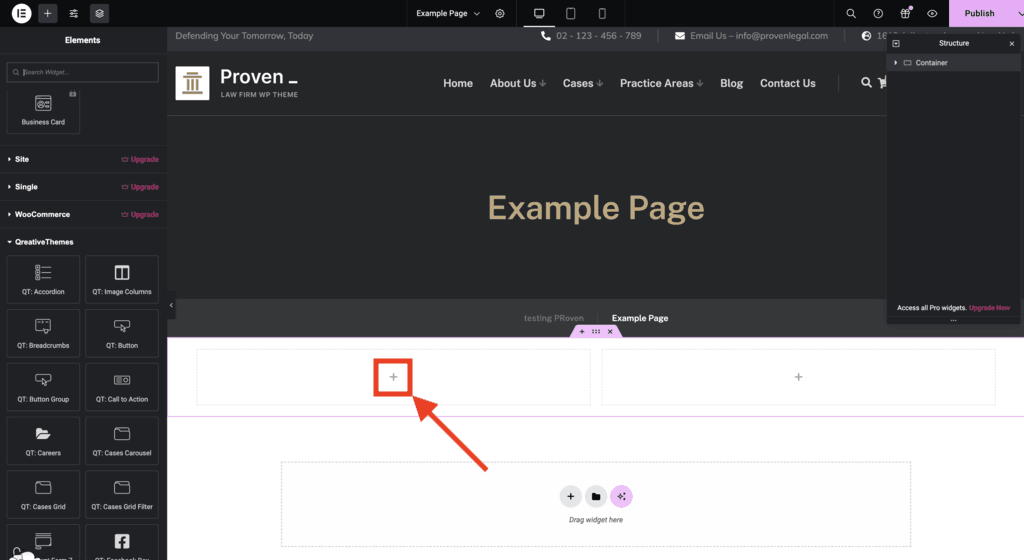
You can add widgets (page builder elements) to the page builder in the following way to build your page.
3. Edit widgets
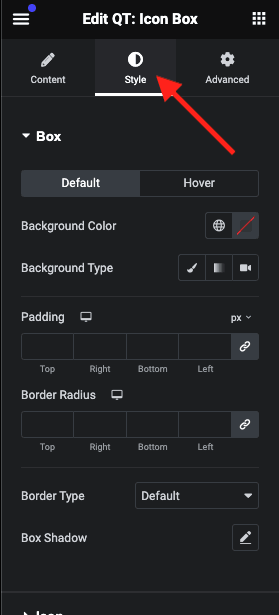
Each widget have 3 tabs; Content, Style and Advanced. To change the colors of the widget you can click on the “Style” tab to see all available color controls.
For more information about the content, style and advanced panel tabs please refer to the official Elementor documentation: https://elementor.com/help/how-do-i-edit-elementor-widgets/